

DeepVista Product Update: Direct Editing, Smarter Workflows, and Advanced Data Control
Don’t fight your interface — build fluidly with DeepVista.

Development and workflow tools force you into a constant game of context-switching. You jump between tabs just to tweak a variable. You wrestle with rigid data tables that won’t let you see what actually matters. You lose momentum moving between code, markdown, and execution views.
DeepVista is building a frictionless workspace where your context, data, and workflows exist in a single, intuitive flow.
This week, we focused entirely on speed, visibility, and removing the micro-frictions that slow you down. Here is a look at what the team shipped.
What We Shipped This Week
1. Lightning-Fast AI Editing
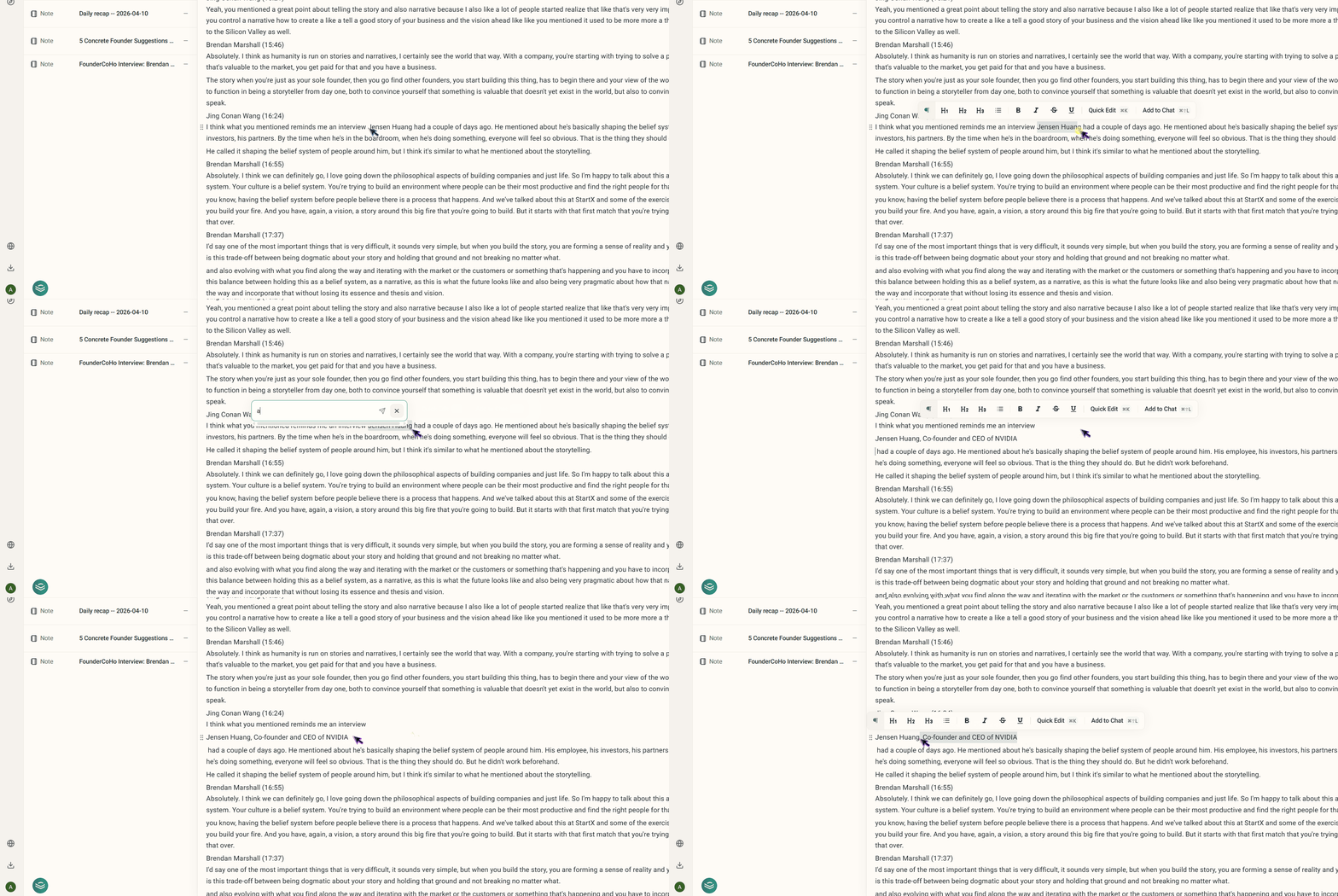
You can now interact with our AI faster than ever. Simply highlight any text in the editor and hit Cmd + K (Ctrl + K on Windows) to instantly open a quick-edit prompt. Need to loop in a contact? Use Cmd + Shift + L to send an existing contact card directly into the embedded chat.
2. Direct Workflow Editing
Say goodbye to unnecessary clicks. You can now edit your workflows directly within the main view, completely removing the friction of jumping into a separate Markdown window. What you see is what you update.

3. Revamped Workflow UI
We’ve reorganized workflow settings into a clean, intuitive three-tab interface:
Vista Base
Webhooks
Input Forms

This makes configuring your inputs and managing external connections highly interactive and straightforward.
4. Customizable Tables in Vista Base
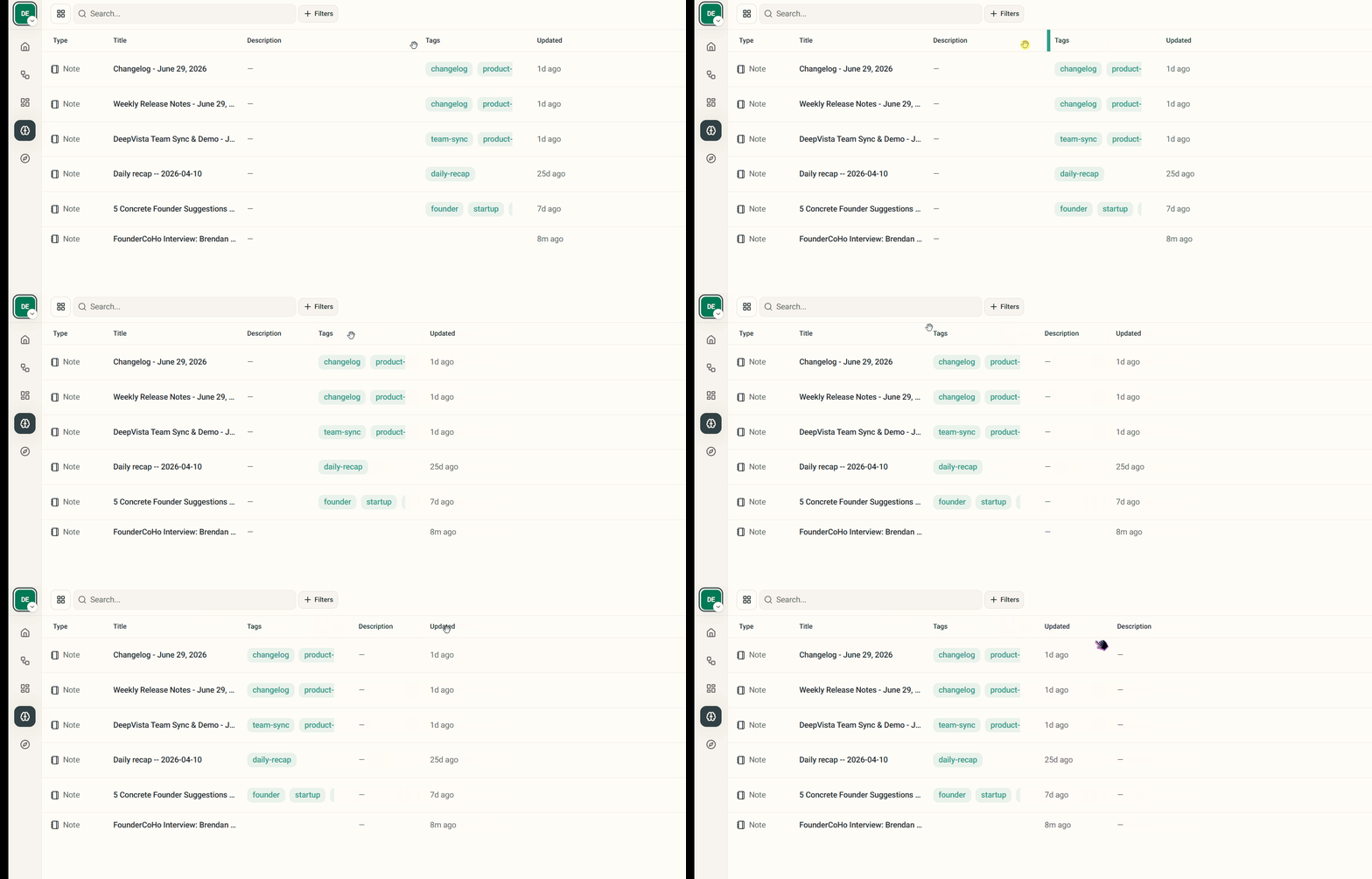
Your data, your way. We’ve upgraded the Vista Base table displays to support column resizing and drag-and-drop reordering, making it effortless to prioritize and view the metrics that matter most to your current task.
5. Advanced Filtering
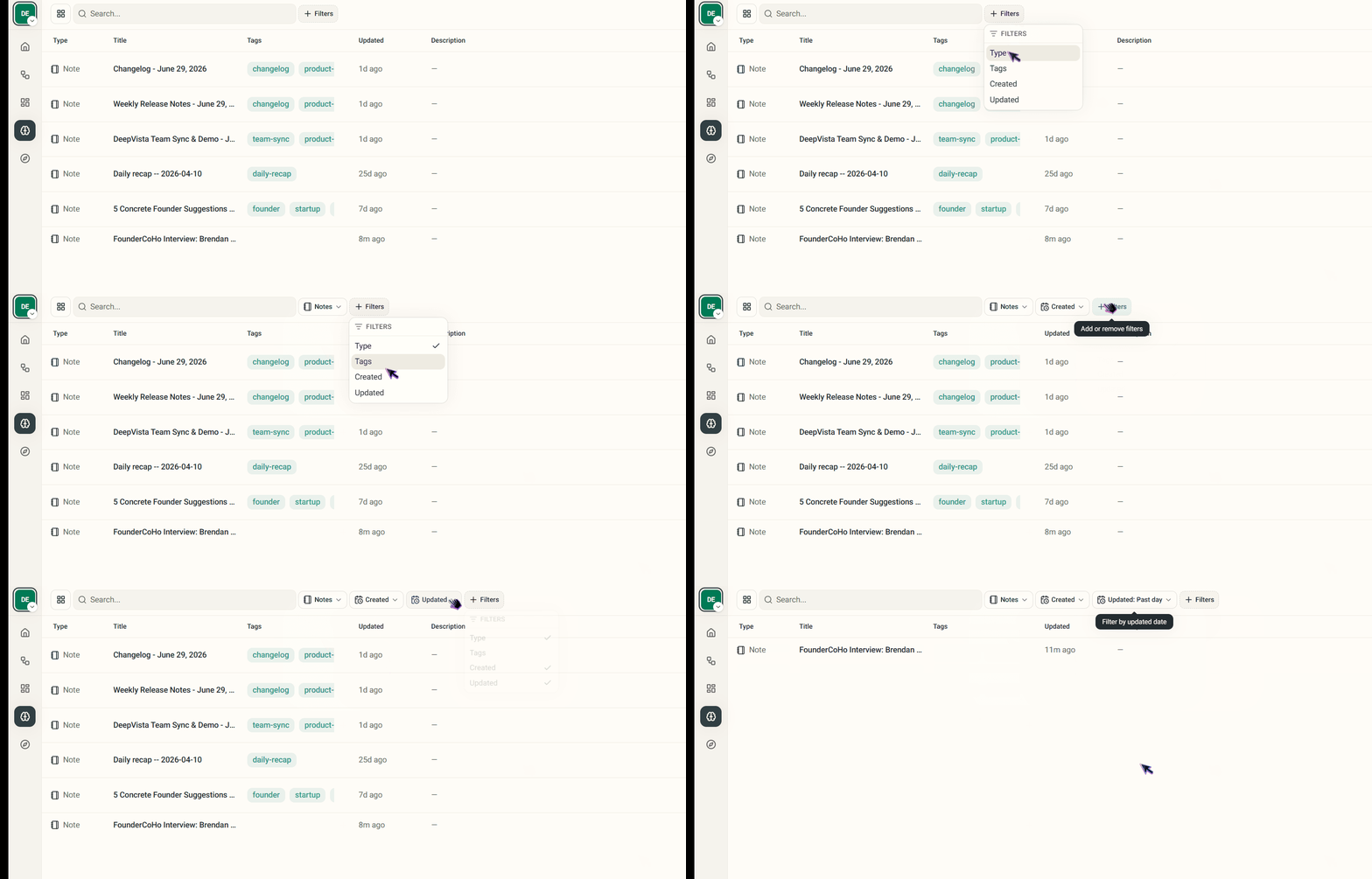
Finding specific users or deep-cut records shouldn’t feel like digging for gold. We’ve introduced robust multi-filter support for tables. You can now stack multiple complex filters on top of your datasets to isolate the exact information you need in seconds.
We want your honest feedback
Where did onboarding feel confusing?
What felt unnecessary?
Where did you want to drop off?
Send your feedback directly to me at jingconan@deepvista.ai
And join our Discord:
https://go.deepvista.ai/discord
— Jing Conan Wang
Founder & CEO, DeepVista AI
Try It Yourself
App: https://app.deepvista.ai/login
Thanks for reading DeepVista’s Substack! Subscribe for free to receive new posts and support my work.